> ## Documentation Index
> Fetch the complete documentation index at: https://docs.aftersell.com/llms.txt
> Use this file to discover all available pages before exploring further.
# Post-purchase branding settings
> How to edit Aftersell branding, colors, buttons
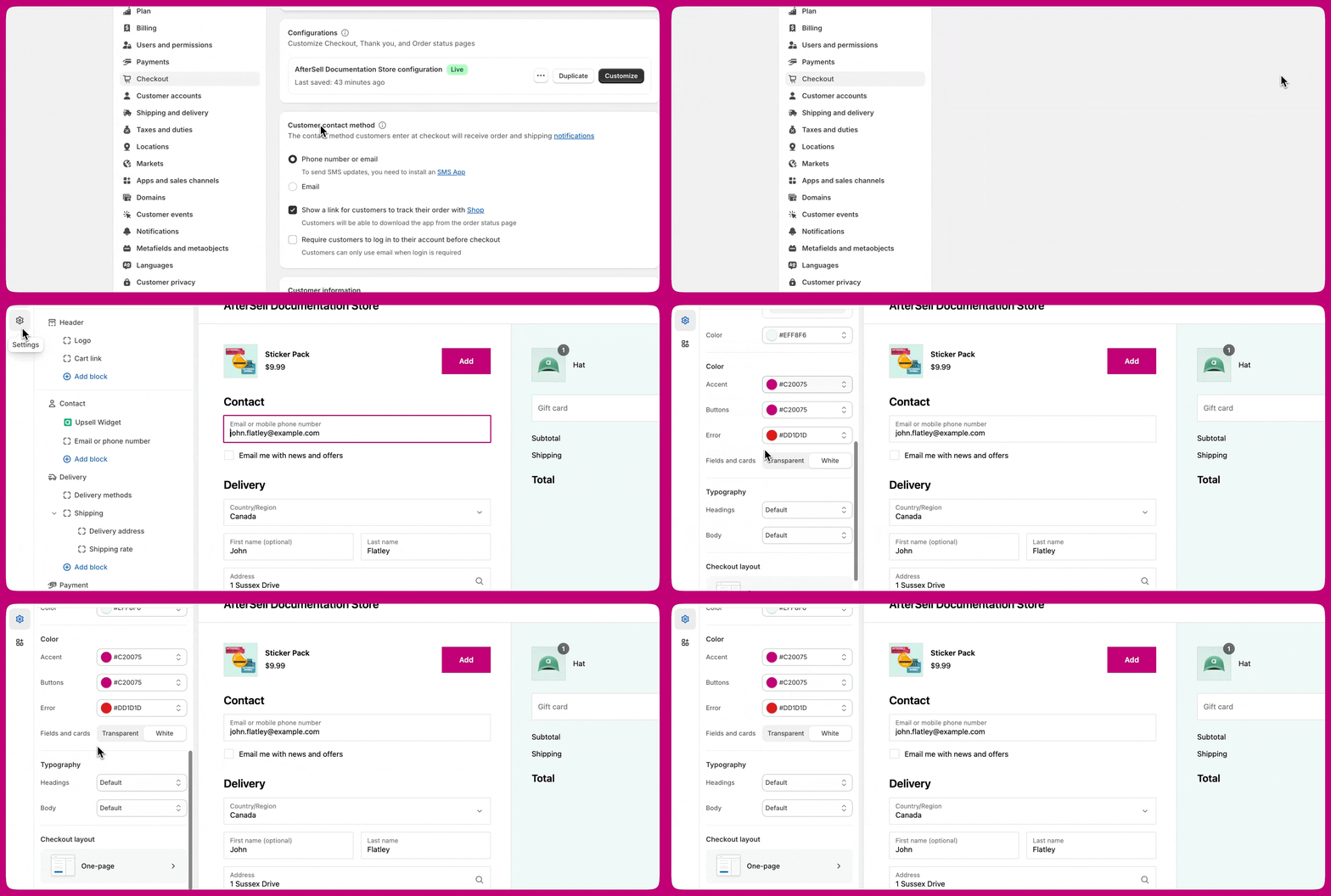
Your post-purchase branding in Aftersell automatically matches your Shopify checkout branding. As a result, there are no options within Aftersell to customize colors, fonts, or other elements. However, you can make these changes in the Shopify checkout editor. To open it, go to **Settings → Checkout** in your Shopify admin and click **Customize**:
 ***
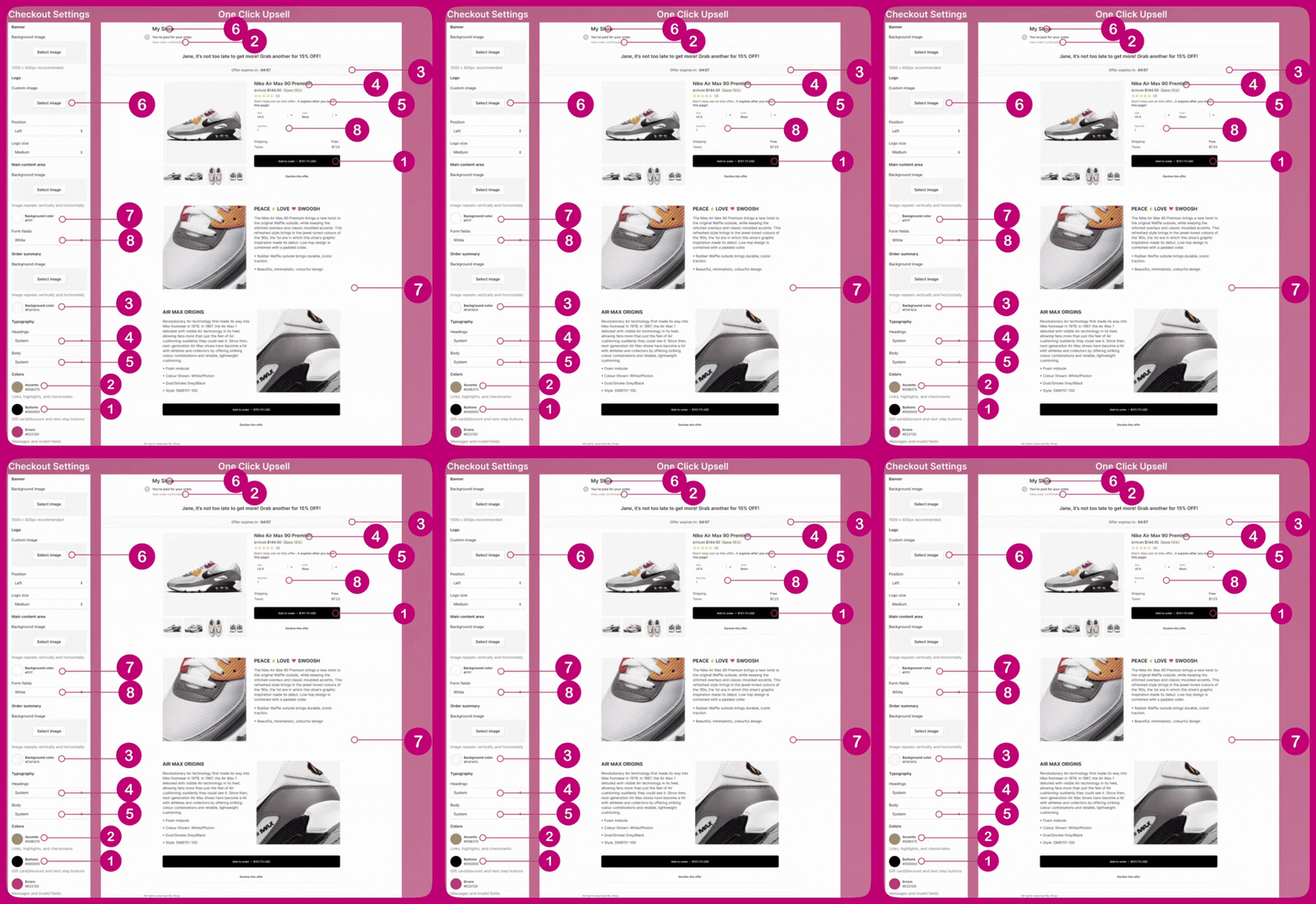
Many of the fields in the Shopify checkout editor are linked to Aftersell's post-purchase page. The mapping below shows which Shopify checkout setting controls which element on the post-purchase upsell page:
| Shopify checkout setting | Controls on the post-purchase page |
| :--------------------------------------- | :--------------------------------------- |
| **Logo** (image, position, size) | The store logo at the top of the page |
| **Main content area → Background color** | The page background |
| **Order summary → Background color** | The offer summary background |
| **Typography → Headings** | Offer and product headings |
| **Typography → Body** | Body text |
| **Colors → Accents** | Links, highlights, and checkmarks |
| **Colors → Buttons** | The "Add to order" and next-step buttons |
| **Form fields** | The variant and quantity form fields |
For instance, the button color in the Shopify checkout is directly reflected in the button color on the post-purchase page:
***
Many of the fields in the Shopify checkout editor are linked to Aftersell's post-purchase page. The mapping below shows which Shopify checkout setting controls which element on the post-purchase upsell page:
| Shopify checkout setting | Controls on the post-purchase page |
| :--------------------------------------- | :--------------------------------------- |
| **Logo** (image, position, size) | The store logo at the top of the page |
| **Main content area → Background color** | The page background |
| **Order summary → Background color** | The offer summary background |
| **Typography → Headings** | Offer and product headings |
| **Typography → Body** | Body text |
| **Colors → Accents** | Links, highlights, and checkmarks |
| **Colors → Buttons** | The "Add to order" and next-step buttons |
| **Form fields** | The variant and quantity form fields |
For instance, the button color in the Shopify checkout is directly reflected in the button color on the post-purchase page:
 ***
Please note that Aftersell's editor preview may occasionally display a visual bug, but your branding should match the Shopify checkout settings on a live offer. If necessary, we recommend placing a test order to verify this.
***
Please note that Aftersell's editor preview may occasionally display a visual bug, but your branding should match the Shopify checkout settings on a live offer. If necessary, we recommend placing a test order to verify this.