> ## Documentation Index
> Fetch the complete documentation index at: https://docs.aftersell.com/llms.txt
> Use this file to discover all available pages before exploring further.
# Understanding out of stock variants
> This article explains how Aftersell handles out-of-stock variants for upsell products on the post purchase page
# **Overview**
Upsell products may have one or multiple variant options (such as size or color). Aftersell handles out-of-stock variants differently depending on how many options a product has, to ensure a smooth customer experience and prevent unavailable selections.
***
# **Out of Stock Variant Logic**
### **Products with a Single Variant Option**
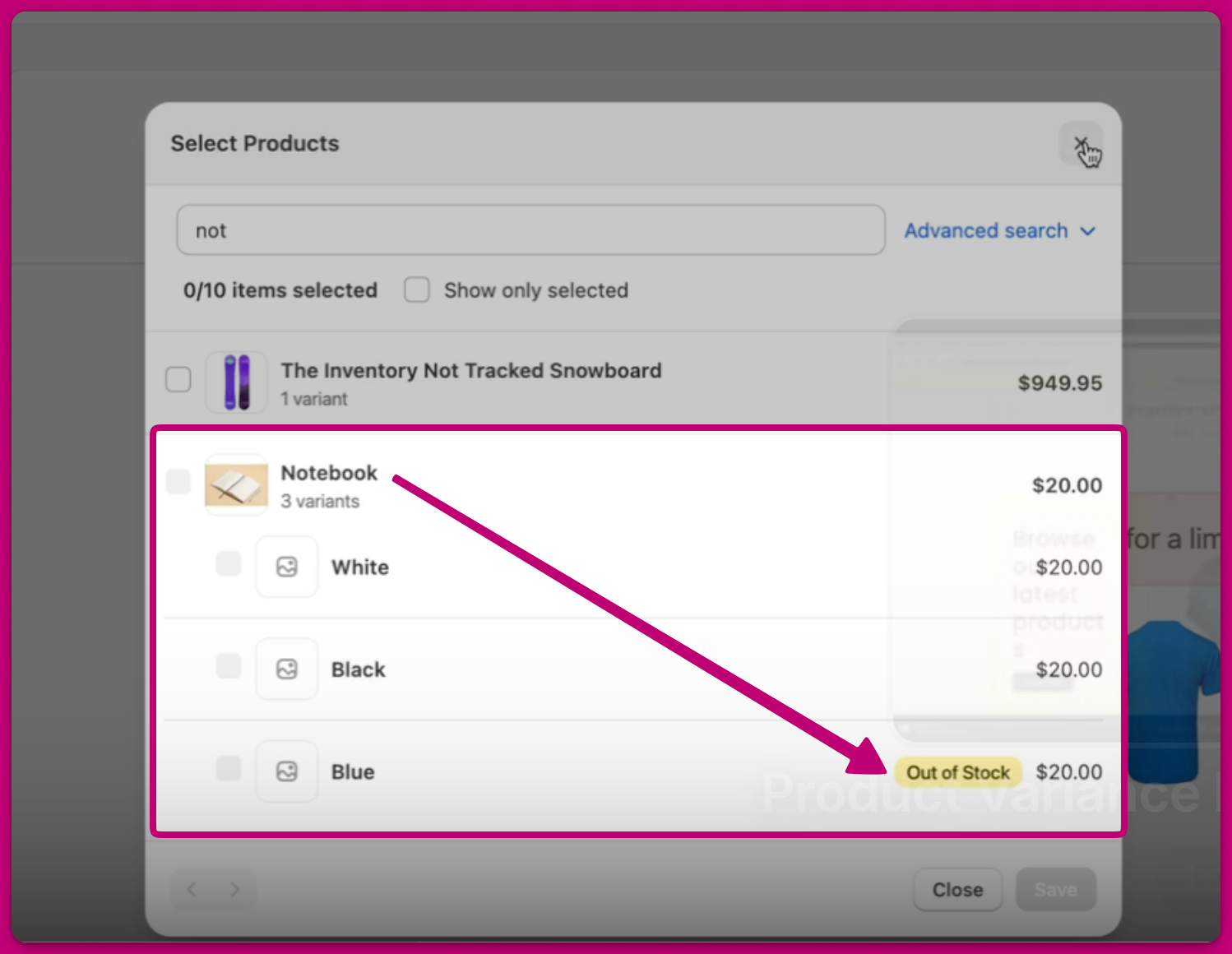
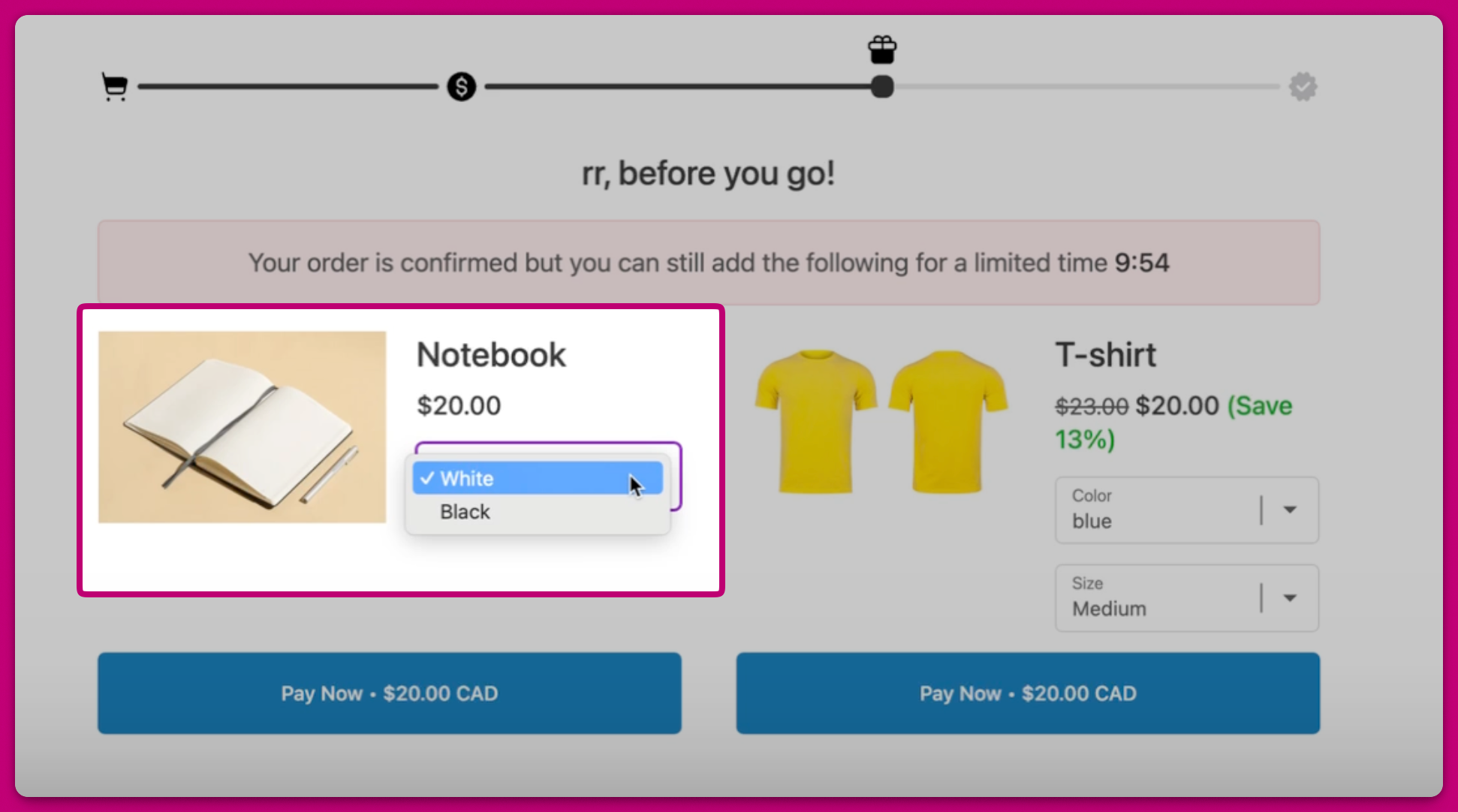
If a product has **only one variant option** and that variant is **out of stock**, it is **hidden entirely.** For example,
* The blue variant for this Notebook product is out of stock
 * Therefore, on the post purchase page, the blue variant will not show up as an option
 This prevents customers from interacting with a product that cannot be fulfilled.
***
### **Products with Multiple Variant Options**
If a product has multiple variant options, **all variant options are displayed**, including those that are out of stock. By default, Aftersell will **preselect an in-stock variant**, if one is available. However, if a customer manually selects an **out-of-stock variant**, it will be clearly marked as **unavailable** and cannot be added.
For example,
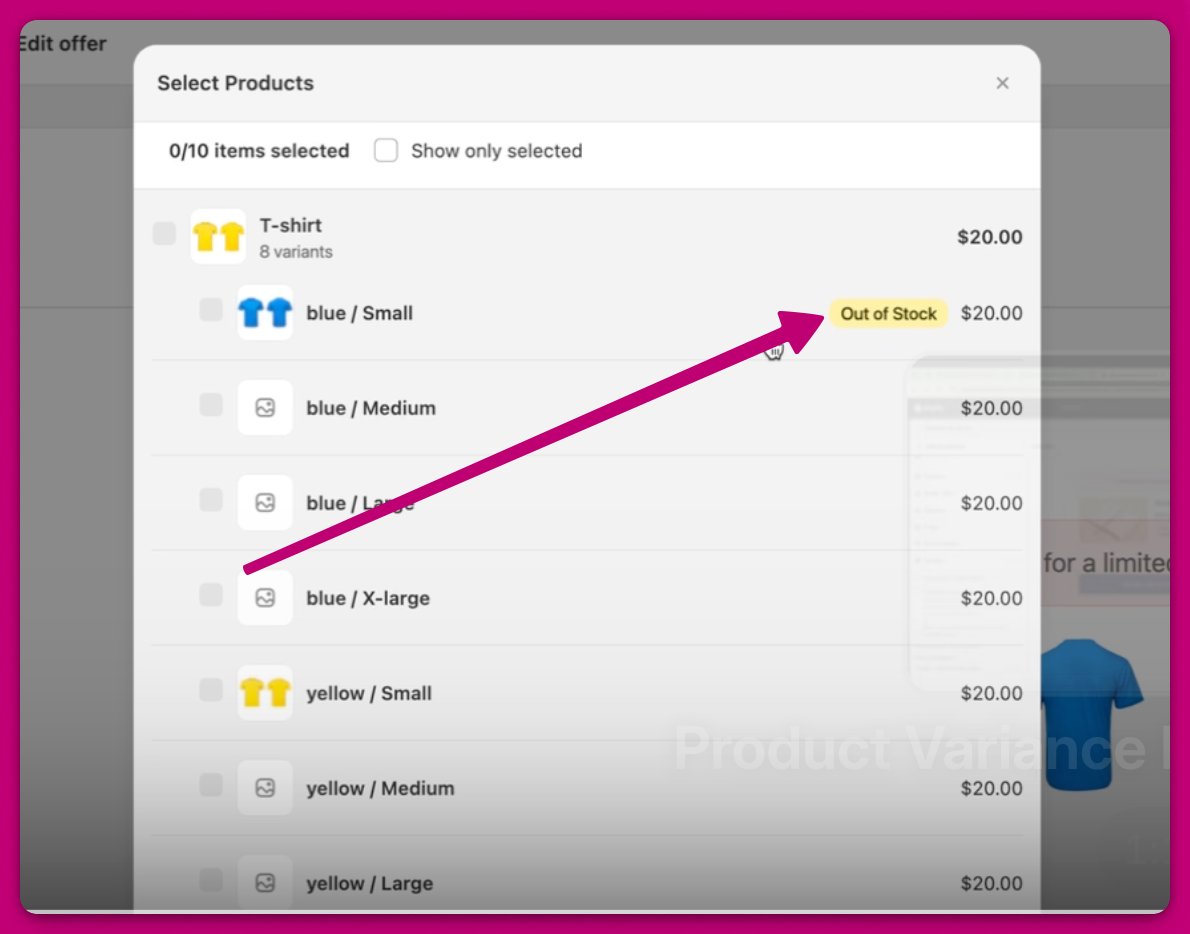
* The blue/small variant for this T-shirt product is out of stock
This prevents customers from interacting with a product that cannot be fulfilled.
***
### **Products with Multiple Variant Options**
If a product has multiple variant options, **all variant options are displayed**, including those that are out of stock. By default, Aftersell will **preselect an in-stock variant**, if one is available. However, if a customer manually selects an **out-of-stock variant**, it will be clearly marked as **unavailable** and cannot be added.
For example,
* The blue/small variant for this T-shirt product is out of stock
 * However, the variant will still appear on the live post-purchase page, but customers will not be able to purchase it if selected.
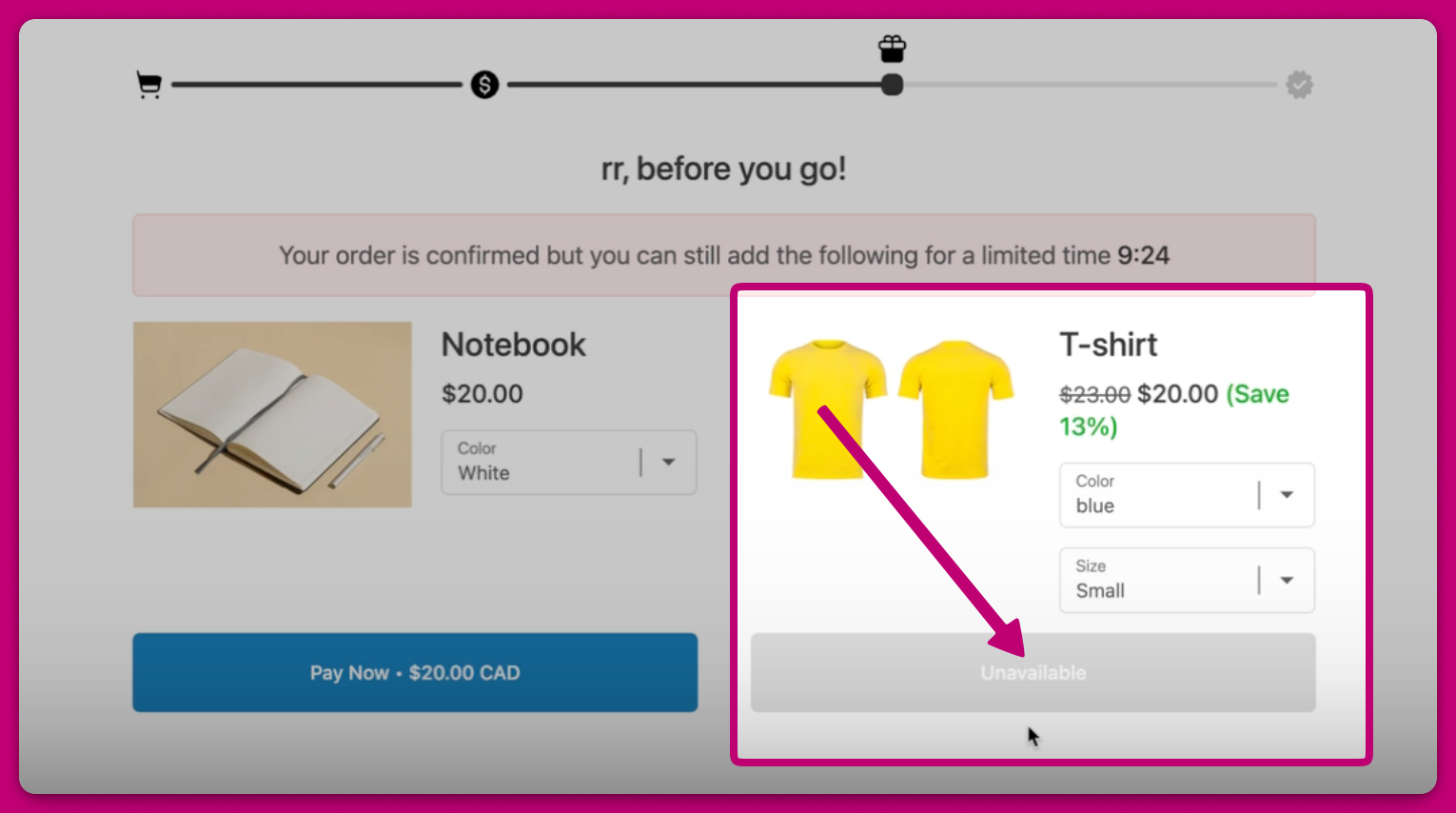 This approach gives customers full visibility into available options while preventing invalid selections.
**NOTE:** This logic applies even if all variant settings are unchecked in the editor.
***
# **Pre-Order and Pre-Sale Variants**
The out-of-stock logic above applies to variants that can no longer be sold once their inventory runs out — Shopify's default **"Stop selling when out of stock"** behavior.
Pre-order and pre-sale variants are handled differently. In Shopify, these variants have **"Continue selling when out of stock"** enabled (an inventory policy of *continue*). Aftersell checks a variant's inventory **policy**, not just its quantity on hand, so a continue-selling variant is treated as **available** even when its tracked inventory is 0 or negative.
As a result, pre-order/pre-sale variants behave like in-stock variants on the post-purchase page:
* **Single variant option:** the variant is **shown** (not hidden), and customers can add it.
* **Multiple variant options:** the variant is **selectable and purchasable** — it is not marked as unavailable.
This lets you run pre-order or pre-sale offers as post-purchase upsells without the variant being suppressed for having no stock on hand.
To enable this behavior, turn on **Continue selling when out of stock** for the variant in Shopify (under the product's variant **Inventory** settings). A variant left on the default *stop selling when out of stock* follows the out-of-stock logic described above once its inventory reaches 0.
Exception: if your offer is configured to hide products that are out of stock, continue-selling variants with 0 or negative inventory are hidden along with regular out-of-stock variants.
This approach gives customers full visibility into available options while preventing invalid selections.
**NOTE:** This logic applies even if all variant settings are unchecked in the editor.
***
# **Pre-Order and Pre-Sale Variants**
The out-of-stock logic above applies to variants that can no longer be sold once their inventory runs out — Shopify's default **"Stop selling when out of stock"** behavior.
Pre-order and pre-sale variants are handled differently. In Shopify, these variants have **"Continue selling when out of stock"** enabled (an inventory policy of *continue*). Aftersell checks a variant's inventory **policy**, not just its quantity on hand, so a continue-selling variant is treated as **available** even when its tracked inventory is 0 or negative.
As a result, pre-order/pre-sale variants behave like in-stock variants on the post-purchase page:
* **Single variant option:** the variant is **shown** (not hidden), and customers can add it.
* **Multiple variant options:** the variant is **selectable and purchasable** — it is not marked as unavailable.
This lets you run pre-order or pre-sale offers as post-purchase upsells without the variant being suppressed for having no stock on hand.
To enable this behavior, turn on **Continue selling when out of stock** for the variant in Shopify (under the product's variant **Inventory** settings). A variant left on the default *stop selling when out of stock* follows the out-of-stock logic described above once its inventory reaches 0.
Exception: if your offer is configured to hide products that are out of stock, continue-selling variants with 0 or negative inventory are hidden along with regular out-of-stock variants.