

Overview
This setting allows you to change the behavior of the main call-to-action button at the bottom of the cart drawer.Where to Find It
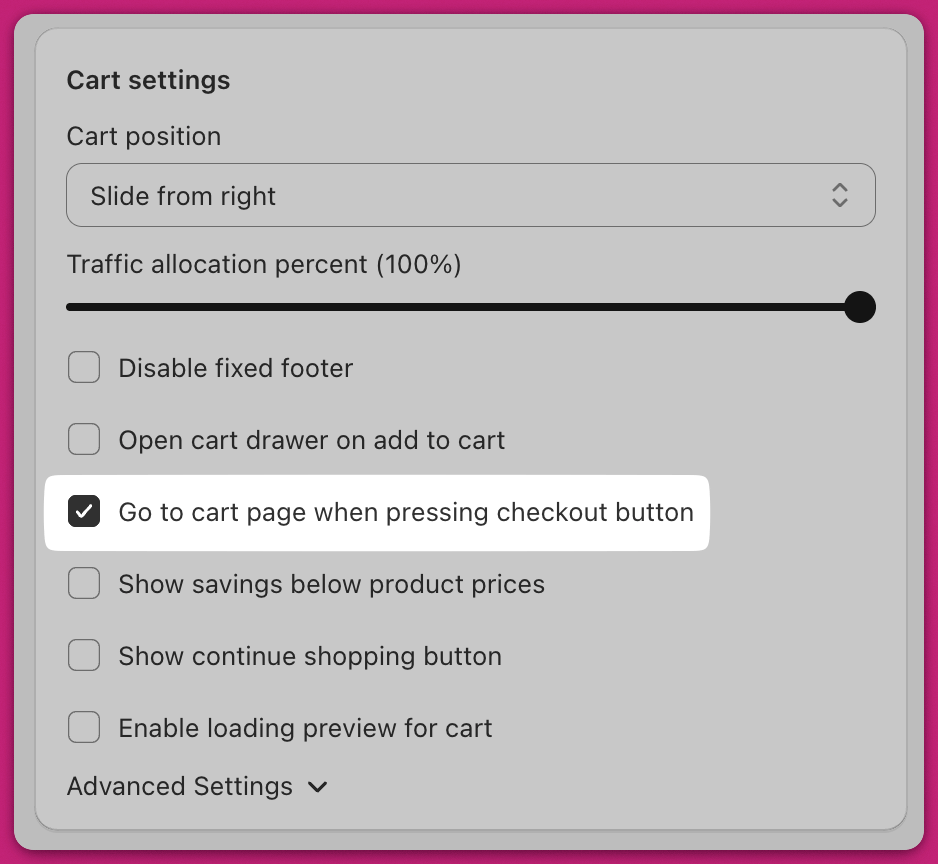
Go to:Upcart > Cart Editor > Settings > Cart settings
Look for the checkbox labeled “Go to cart page when pressing checkout button.”
How It Works
✅ Enabled (Box Checked)
- The Checkout button will take customers to your store’s default cart page
(e.g.yourstore.com/cart) - This gives customers another opportunity to review their order in full before proceeding to checkout.
- You can customize the button text to say something like “Review Order” using the Checkout button text field on Settings > Edit copy.
⬜ Disabled (Box Unchecked)
- The Checkout button will send customers directly to Shopify Checkout
(e.g.yourstore.com/checkout) - This is the default behavior for a faster checkout experience.