

Overview
By default, a discount a customer applies reduces their progress toward a reward: the rewards bar measures the cart total after discounts. A $100 cart with a $20 discount counts as $80 against your tier thresholds. One checkbox changes that, no code required.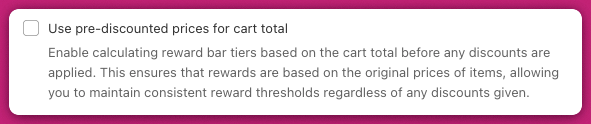
How to ignore discounts in reward calculations
Go to the Rewards module in the Cart Editor and open the Rewards calculation section. Enable the checkbox labeled:“Use pre-discounted prices for cart total”
The checkbox only appears when Rewards calculation is set to Cart total ($). On Cart quantity (#) there is nothing for it to do, so it’s hidden.
- The rewards bar bases progress on the cart total before any discounts
- Applied discounts — manual codes or automatic — no longer reduce progress
- Customers don’t lose reward progress after applying a coupon
Default behavior without this setting enabled
With the checkbox off, progress is measured against the cart total after all discounts have been applied. Example:- Tier 1 = Free shipping at $100
- Cart = $100 before a $20 discount → now $80
- Result = the bar shows $80 of $100, so the reward is not unlocked