Solutions to fulfillment problems
To solve fulfillment problems, we must prevent orders from being fulfilled until we are certain that the customer is no longer on the post-purchase page. This ensures that the order is in it’s final state and will not have extra items added. There are two common solutions to fulfillment problems:- (Preferred) Look for a setting in the fulfillment service to handle On hold orders. If the fulfillment services can natively handle On hold orders then enabling the setting should resolve any issues. Many older systems do not have this setting though, in which case:
- Use the payment status of the order as a makeshift fulfillment hold. Almost all fulfillment systems have an option to not fulfill orders that are not marked as Paid. This solution is described in detail below as it is non-intuitive and is generally more involved.
Using payment status as a makeshift fulfillment hold
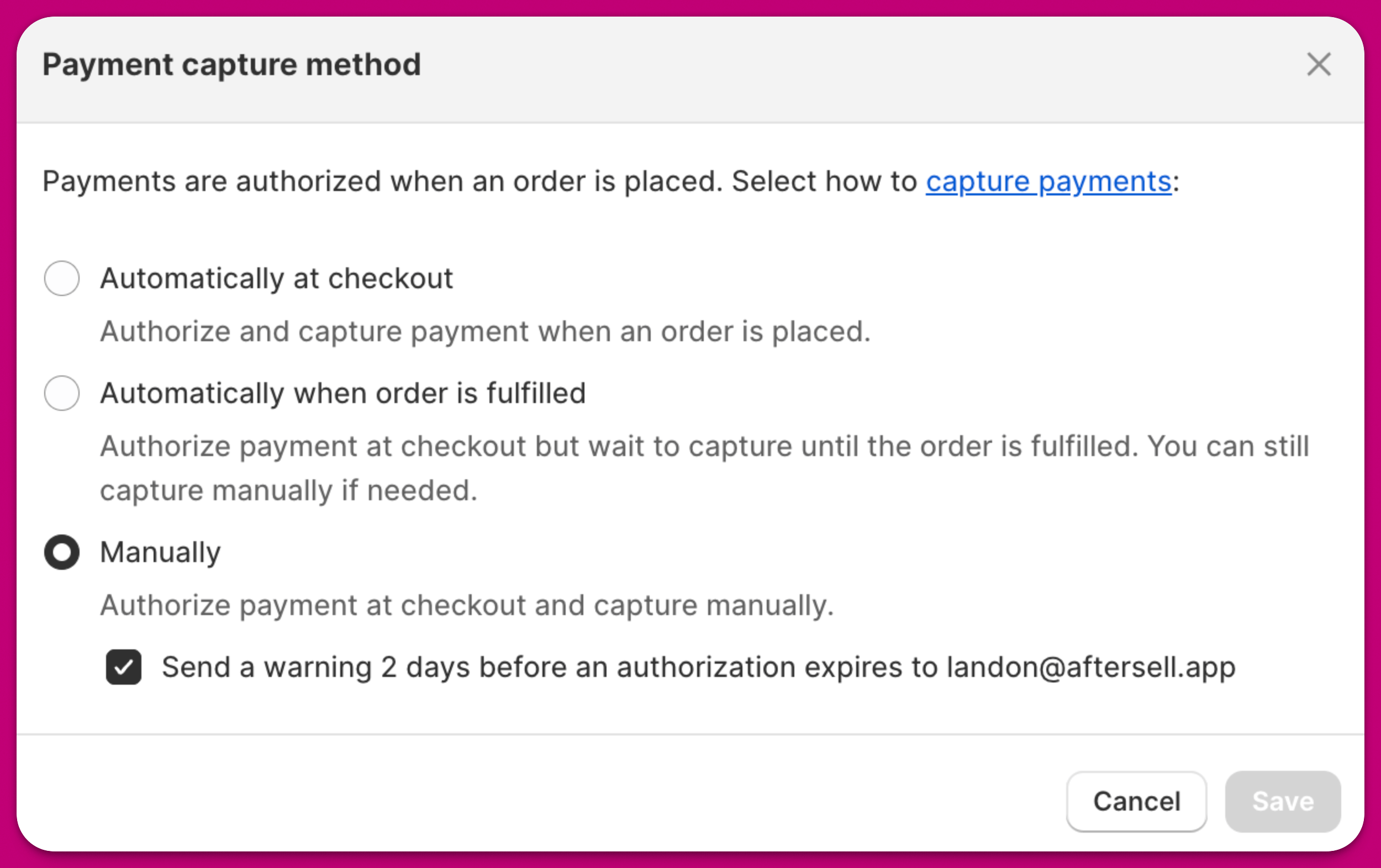
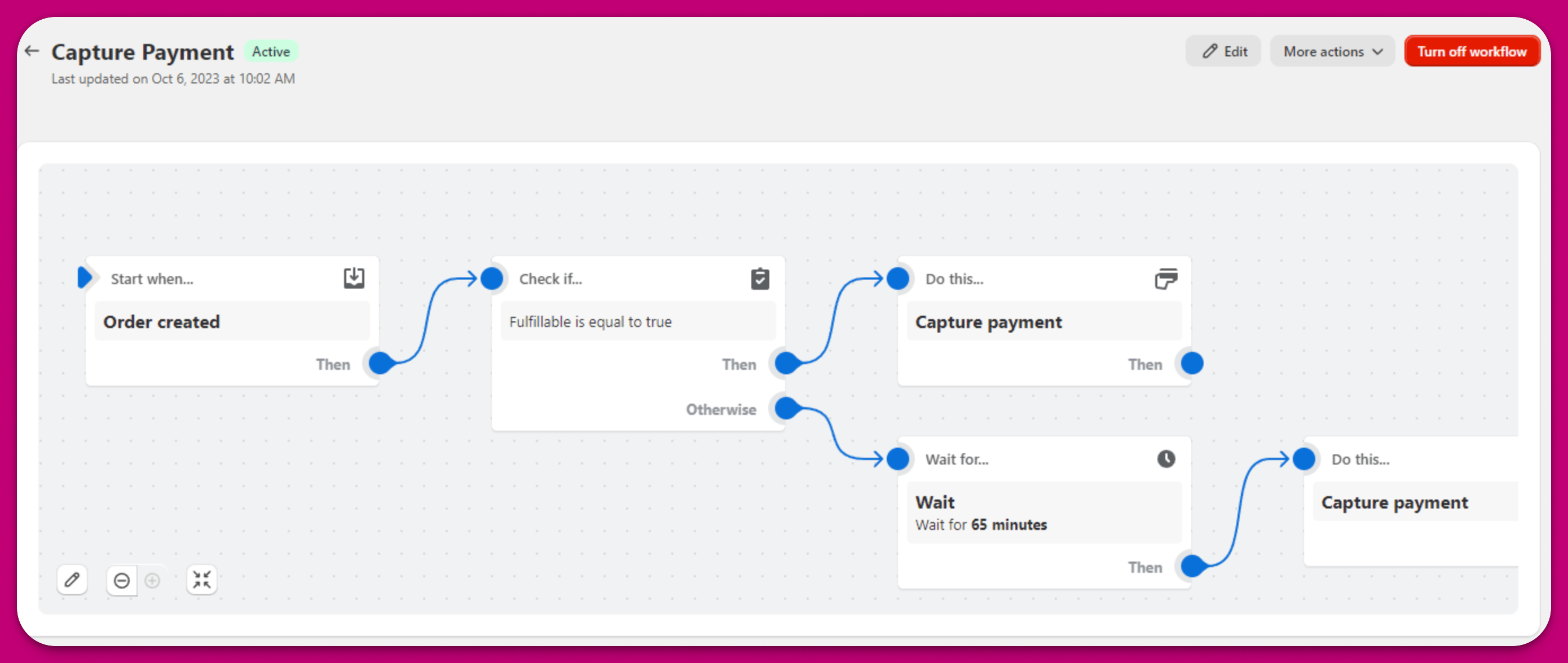
The core principle of this solution is that we only want to mark an order as Paid when it can be fulfilled (i.e., there is no fulfillment hold). By default, Shopify captures payment immediately when an order is placed. This means that orders will be marked as Paid. To change this behaviour, you can go to Shopify > Settings > Payments > Payment capture method > Manage and change the payment capture method to “Manually”.