

Overview
Upsell products may have one or multiple variant options (such as size or color). Aftersell handles out-of-stock variants differently depending on how many options a product has, to ensure a smooth customer experience and prevent unavailable selections.Out of Stock Variant Logic
Products with a Single Variant Option
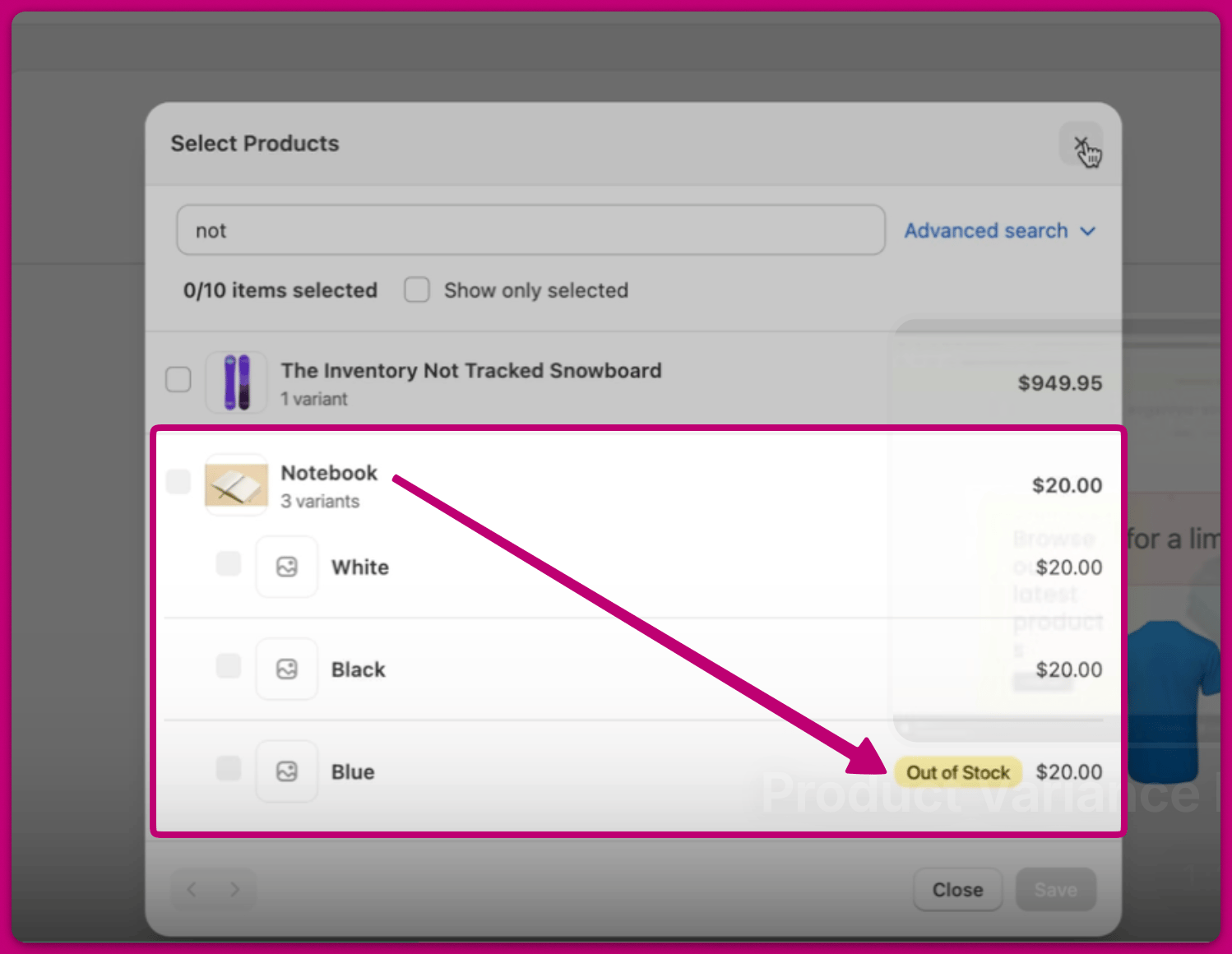
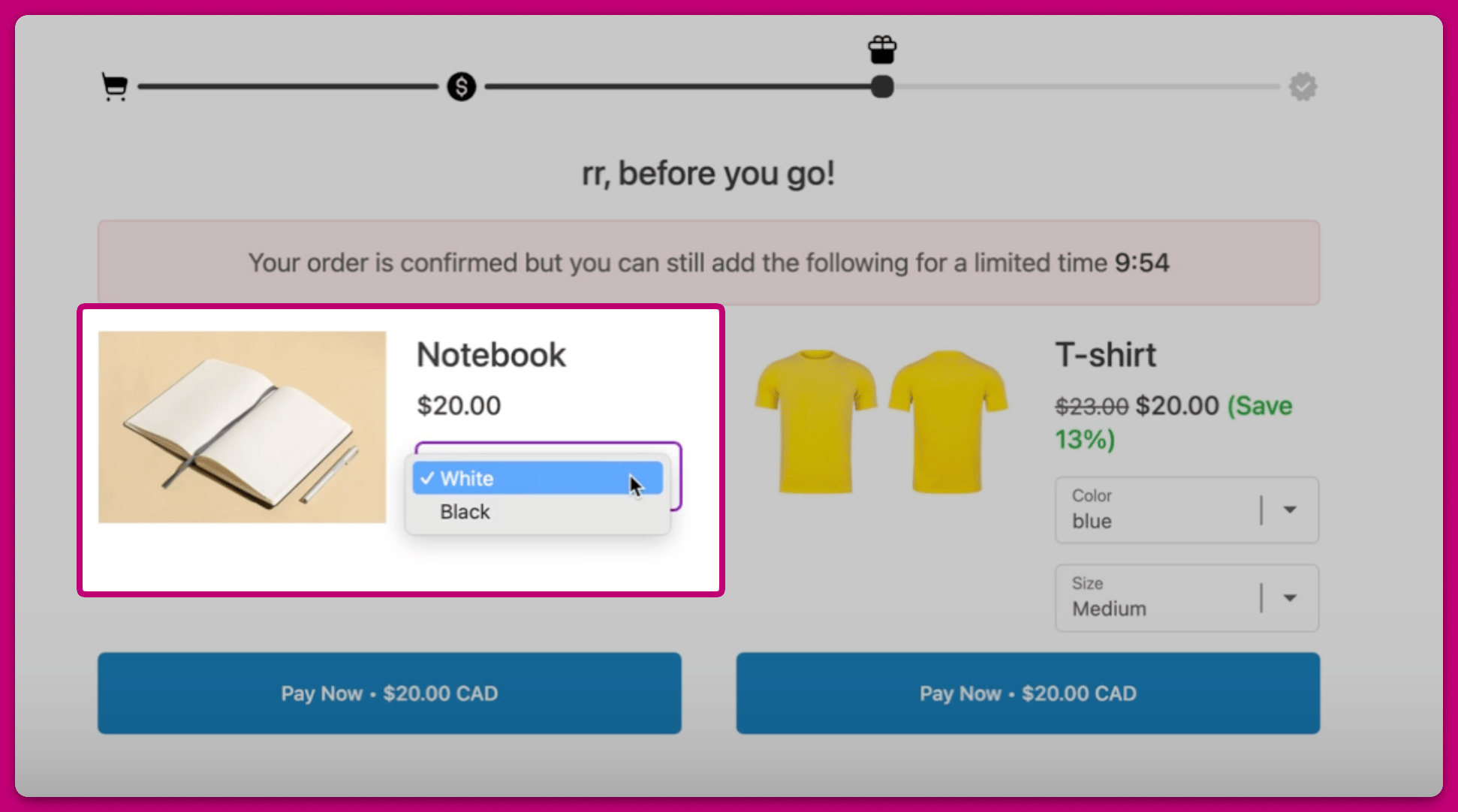
If a product has only one variant option and that variant is out of stock, it is hidden entirely. For example,-
The blue variant for this Notebook product is out of stock
-
Therefore, on the post purchase page, the blue variant will not show up as an option
Products with Multiple Variant Options
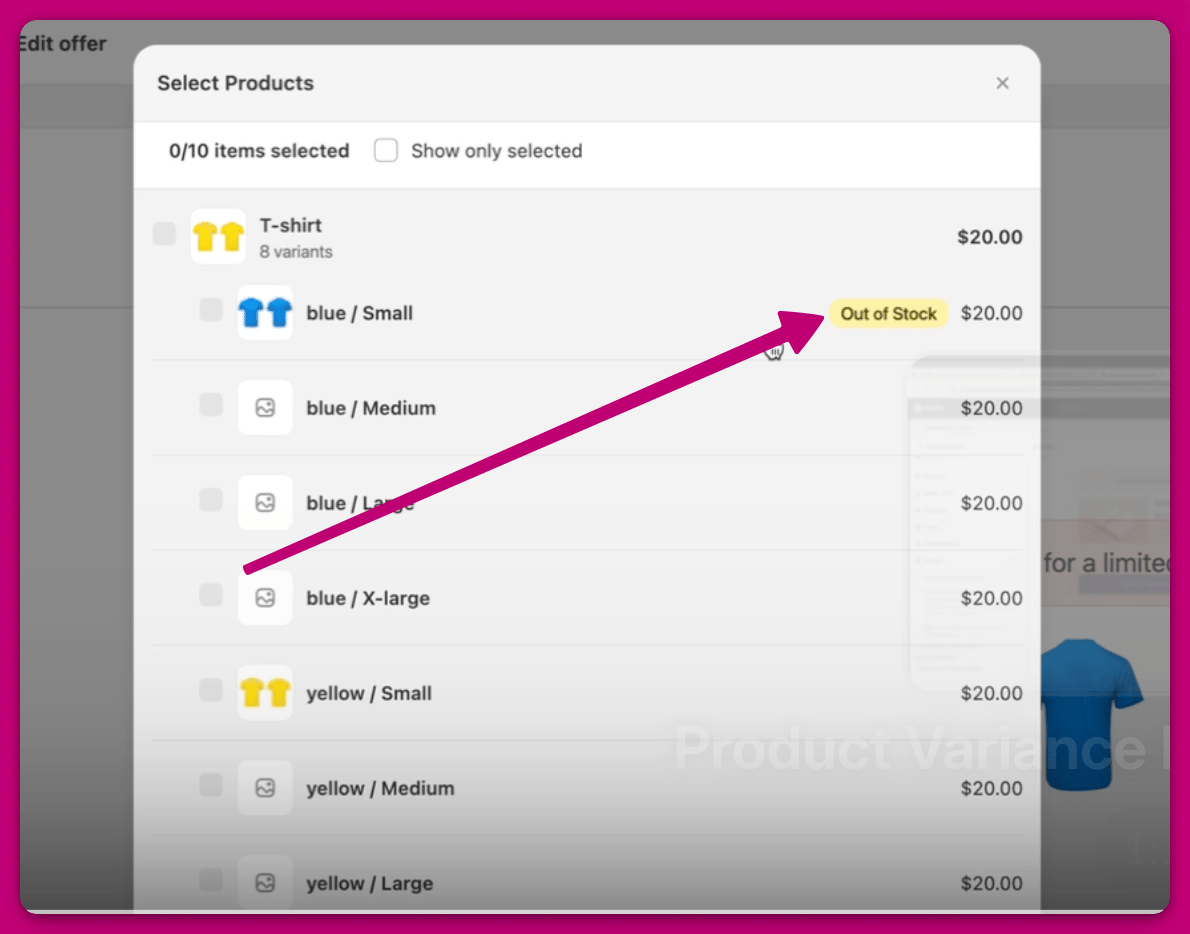
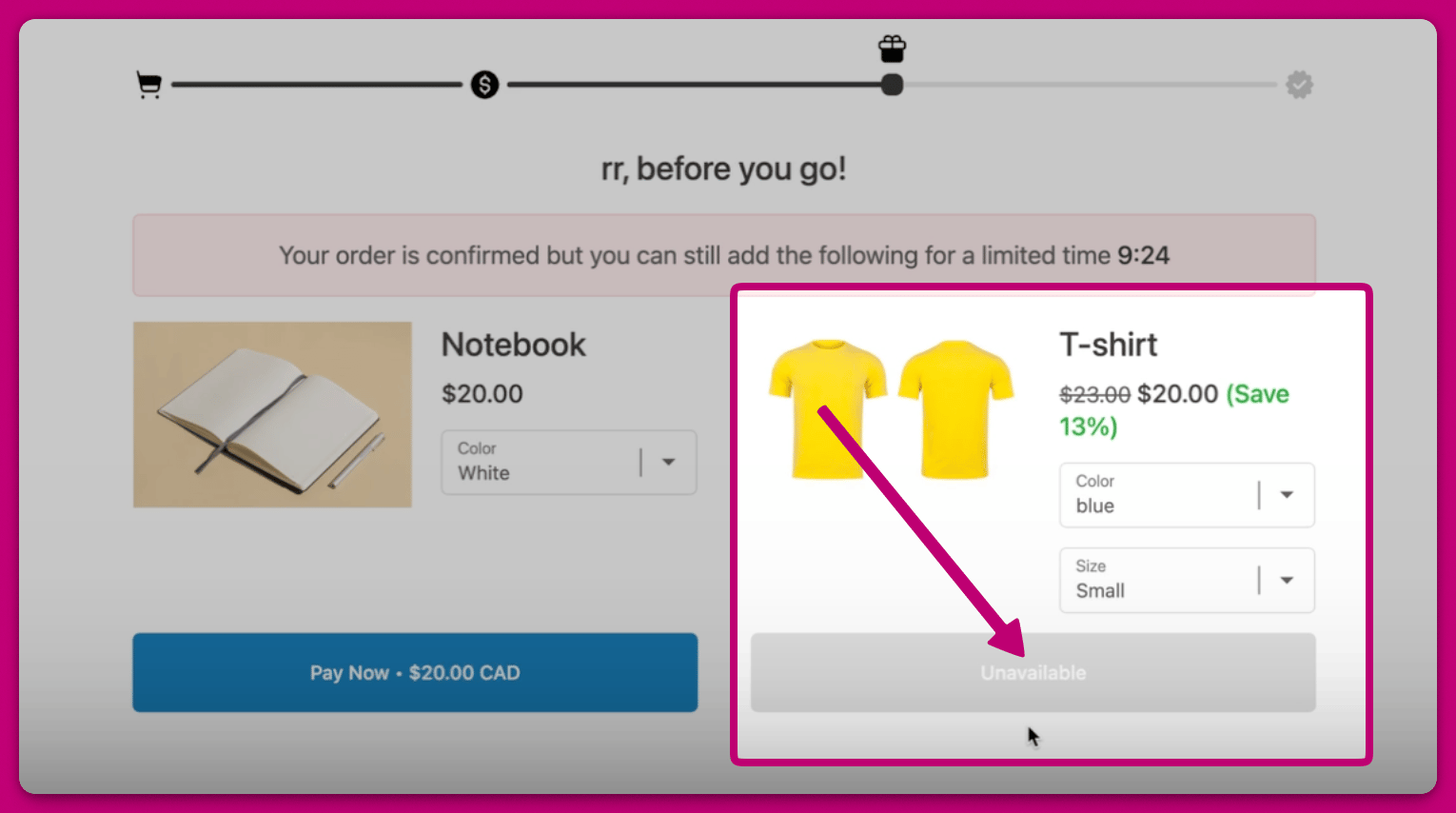
If a product has multiple variant options, all variant options are displayed, including those that are out of stock. By default, Aftersell will preselect an in-stock variant, if one is available. However, if a customer manually selects an out-of-stock variant, it will be clearly marked as unavailable and cannot be added. For example,-
The blue/small variant for this T-shirt product is out of stock
-
However, the variant will still appear on the live post-purchase page, but customers will not be able to purchase it if selected.
Pre-Order and Pre-Sale Variants
The out-of-stock logic above applies to variants that can no longer be sold once their inventory runs out — Shopify’s default “Stop selling when out of stock” behavior. Pre-order and pre-sale variants are handled differently. In Shopify, these variants have “Continue selling when out of stock” enabled (an inventory policy of continue). Aftersell checks a variant’s inventory policy, not just its quantity on hand, so a continue-selling variant is treated as available even when its tracked inventory is 0 or negative. As a result, pre-order/pre-sale variants behave like in-stock variants on the post-purchase page:- Single variant option: the variant is shown (not hidden), and customers can add it.
- Multiple variant options: the variant is selectable and purchasable — it is not marked as unavailable.
To enable this behavior, turn on Continue selling when out of stock for the variant in Shopify (under the product’s variant Inventory settings). A variant left on the default stop selling when out of stock follows the out-of-stock logic described above once its inventory reaches 0.
Exception: if your offer is configured to hide products that are out of stock, continue-selling variants with 0 or negative inventory are hidden along with regular out-of-stock variants.
Hiding variants that aren’t published to your Online Store
By default, Aftersell can offer variants that are in stock but excluded from your Online Store sales channel in Shopify — for example, variants you keep available for retail or wholesale but deliberately hide from your web storefront. To stop those variants appearing in post-purchase offers, go to Settings → Inventory, find the Unpublished variants section, and tick Hide unpublished variants from post-purchase offers. The setting is off by default.How it works
With the setting on, Aftersell checks each variant’s publication status on the Online Store sales channel before including it in an offer. Variants that aren’t published are excluded. If every variant of a product is excluded, the product is dropped from the offer entirely. The filter applies to both live offers and the offer editor preview, so what you see in the editor matches what customers get.This setting needs the
read_publications permission in Shopify. Ticking the box prompts you to grant it, and the setting only takes effect once you accept.